Platform Features
Everything you need to track, analyse, and showcase your Delta Force performance - on PC, console, and mobile.
Built for Delta Force Players
Whether you stream or just want to track your progress, there is a setup that fits how you play.
Real-Time Tracking
Monitor your stash value and profit during streams with automatic updates every capture.
Session History
Review past stream performance with detailed session logs and profit summaries.
Analytics Dashboard
Visualise your performance with interactive charts and comprehensive analytics.
Easy Setup
Get started in minutes. Streamers get seamless Streamer.bot integration, chat commands, and API access. Everyone else just signs up and starts tracking.
Real-Time Stream Analytics
Live profit visualisation that keeps your audience engaged and coming back for more.
Live Profit Charts
Watch your profits update in real-time with interactive charts your viewers can follow along with.
Advanced Analytics
Session comparisons, trend analysis, and profit-per-hour tracking across your entire history.
Animated Stash & Profit Counter OBS Overlay
Customisable animated overlays display your live stash and profit counters directly on stream via OBS browser source, without interrupting gameplay.
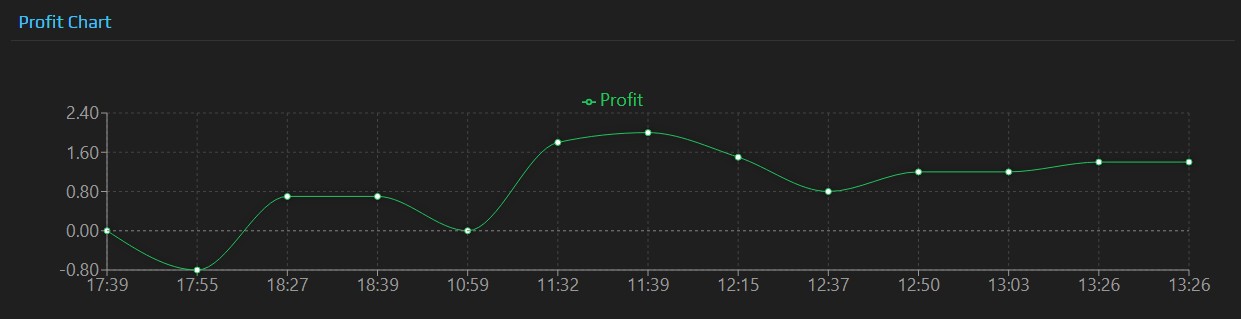
Live Dashboard Preview
OBS Overlay in Action

See It In Action
This is what your dashboard looks like. Track profit trends, monitor session performance, and analyse your gameplay in real-time.
One-Button Stash Capture
Effortless analytics at your fingertips - press one button and let automation handle the rest.
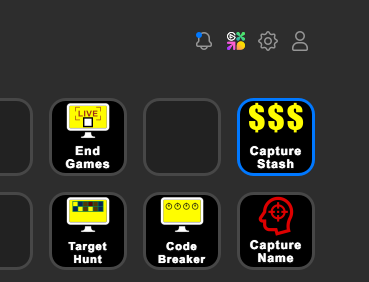
Press Your Stream Deck Button
One simple button press triggers the entire capture process. No complex commands, no interrupting your gameplay.
Automatic Screenshot Processing
Our software instantly captures your screen, extracts stash values, and calculates profit changes automatically.
Real-time Dashboard Updates
Your dashboard and OBS overlays update instantly, keeping you and your viewers engaged with live statistics.
Why Streamers Love It
- No manual calculations ever again
- Stream flow never interrupted
- Viewers stay engaged with live updates
Stream Deck Integration
One-button triggers instant capture
Reds Counter
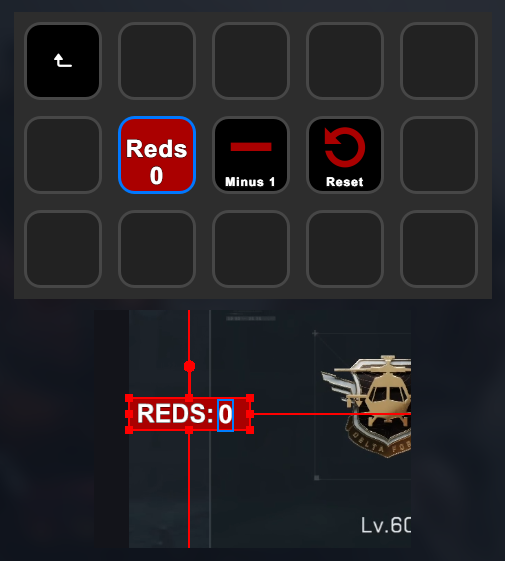
Track your Reds with one button. Stream Deck buttons increment or decrement a counter that displays on your stream via OBS text overlay, with the current count shown on the Stream Deck button itself.
- One button to increment, one to decrement
- Live count shown on the Stream Deck button itself
- Displays on stream via OBS text overlay
Host Your Own Profit Battles
Turn competition into content - run live team profit battles directly from your dashboard, with a real-time OBS overlay your whole squad can display on stream.
Build Your Teams
Create battles with 2 to 4 teams and up to 3 players each. Set custom team names and colors to make it your own.
Live OBS Overlay for Every Player
Share a single overlay URL with all participants. Everyone adds it as a browser source and it updates in real time - no setup complexity.
You Are in Control
Start, extend, or end your battle whenever you are ready. The winning team is calculated automatically when you call time.
Does Not Affect Live Sessions
Battle tracking is completely independent of any live stats session. It is based on starting stash values only - nobody's session data is touched.
Live Battle - Teams Competing in Real Time
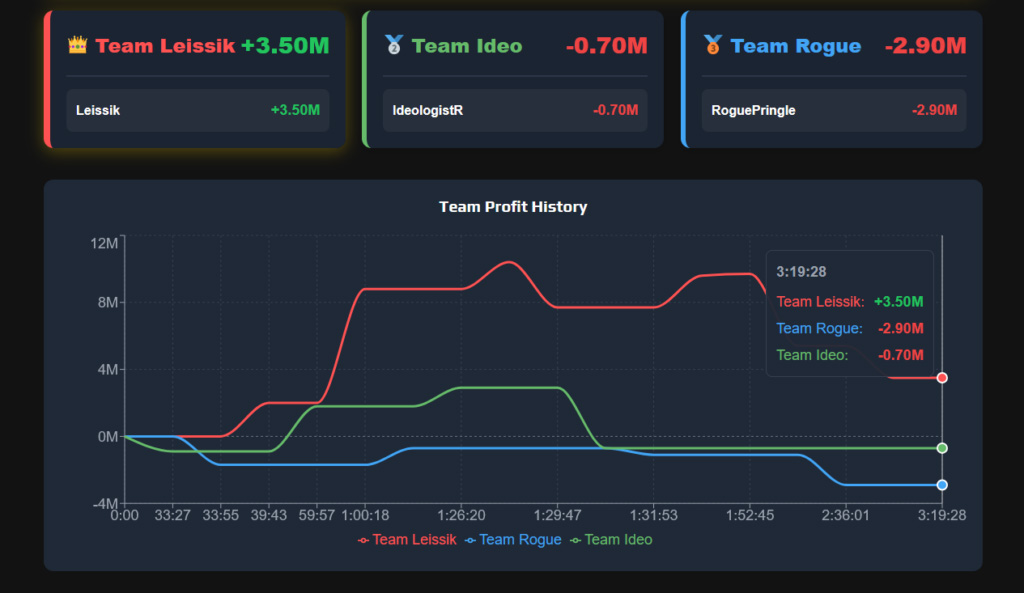
Each player's starting stash value is locked in at kick-off. The chart updates live as stash captures come in.
Your Community Leaderboard & Stats Hub
Transform your stream into an interactive profit-tracking community where every viewer becomes a participant, not just a spectator.
Screenshot Upload System
Community members upload their stash screenshots directly. Values are detected automatically - no manual entry needed.
Personal Profit Tracking for Every Member
Each community member tracks their own gains and losses across sessions, with a complete profit history and session breakdowns.
Advanced Community Analytics
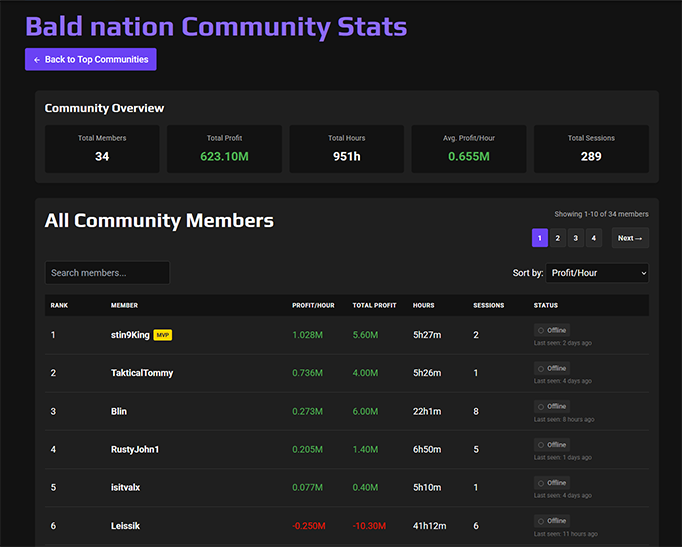
Top performers dashboard, profit distribution analysis, active session indicators, and comparative statistics across all members.
Top Communities Leaderboard
See how your community ranks against others platform-wide. Compare by total profits, growth rate, and average profit per member.
Community Leaderboard Preview
What Your Community Gets
- Any registered user on any tier can join your community
- Live session monitoring - see who is currently active
- Weekly, monthly, and custom community challenges
- Up to 100 community members included
Community Battles
Gold and Red subscribers can also run live Profit Battles directly from the community dashboard - see the section above for full details.
ChatChaos - Let Your Chat Control the Game
Give your viewers the power to trigger real in-game actions with Bits, donations, and subscriptions. Watch your stream come alive as chat takes control.
Real Keypresses. Real Chaos.
Viewer triggers fire actual keyboard inputs directly into Delta Force (or any other game). Jump, dump a mag, fire a shot - whatever you configure, your chat can trigger it live during gameplay.
Game Focus Protection
Commands only fire when your game is actually running and in focus. Tab out, minimise, or step away and chaos is automatically paused - no accidental inputs outside the game.
Live OBS Overlay
An on-stream panel shows your viewers exactly which commands are available and what they cost to trigger. When a command fires successfully it pulses purple - when it is blocked it shakes red. Every viewer knows what is happening in real time.
Fully Configurable Commands
You decide what each trigger does. Set any key combination, hold duration, or complex sequence. Works with Bits, donations, subscriptions, and more - if Streamer.bot supports it as a trigger, ChatChaos can use it.
Single and Dual PC Support
Whether you run everything on one machine or have a dedicated gaming PC and stream PC, ChatChaos handles both setups with automatic cross-PC communication built in.
ChatChaos Overlay - Live on Stream
Commands pulse purple on success and shake red when blocked - your viewers always know what is happening.
What Viewers Can Trigger
- Any keyboard input - single keys, held keys, key sequences
- Bits, tips, donations, and subscriptions as triggers
- Twitch, YouTube, Kick, StreamElements, StreamLabs, and more
- You stay in full control - enable or disable instantly
One Button. Total Control.
Toggle ChatChaos on and off instantly from your Stream Deck. The overlay slides in when active and disappears when you are done - no fuss mid-stream.
Interactive Stream Games
Transform passive viewers into active participants with chat-driven games that build community and boost retention.
Stream games are available exclusively on the Red subscription tier. Contact us to find out more.
Codebreaker
Logic meets friendly competition
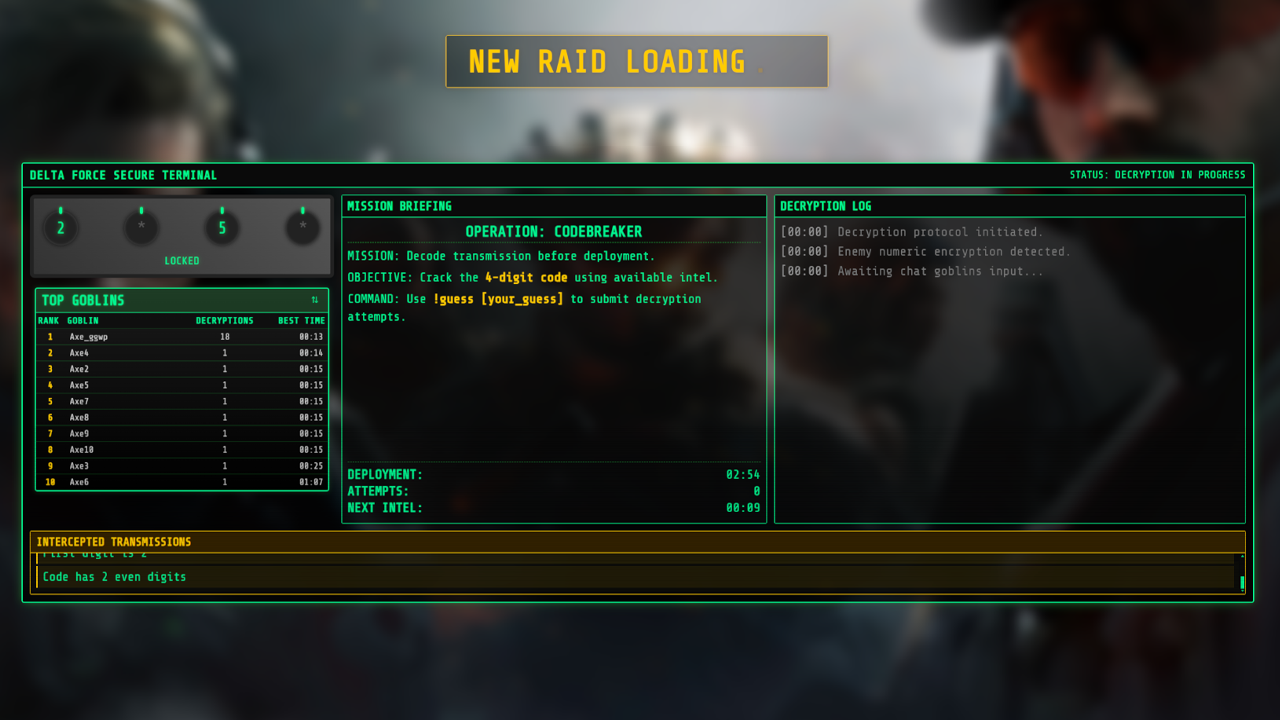
Challenge your viewers with two engaging modes: crack numerical codes or guess mystery words. Real-time chat feedback and competitive leaderboards transform passive viewers into active participants.
Target Hunt
Strategic searching meets stealth
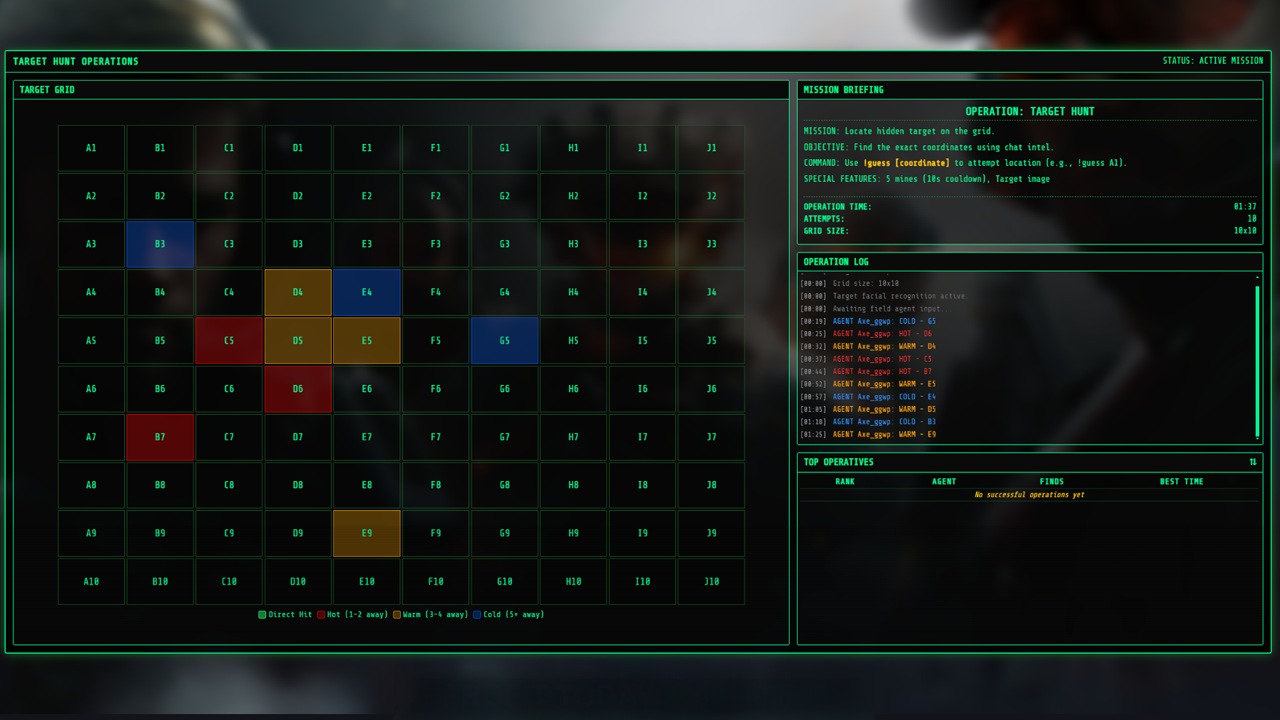
Turn your viewers into secret agents hunting a hidden target across a dynamic grid. With mines, decoys, and proximity warnings, this game creates tension and excitement as players coordinate their search.
Stream breaking down at the worst moment?
OBS crashes, dropped frames, audio desyncs, bitrate collapses - we offer dedicated Creator Tech Support for streamers who need reliable systems and fast answers.
- OBS, audio, hardware and networking support
- Dual-PC and Stream Deck setups
- Custom overlays and Streamer.bot scripts
- Remote support sessions with fast response times
Separate service
Ready to get started?
Start free with Green tier or explore our paid packages for the full feature set.